
GUIDE 04
Keep today, the way a diary would.
Type it, say it, or just take a photo. Use whichever is easiest today.
Today → Write a note
Tap Write a note
Open Today from the tab bar and tap Write a note.
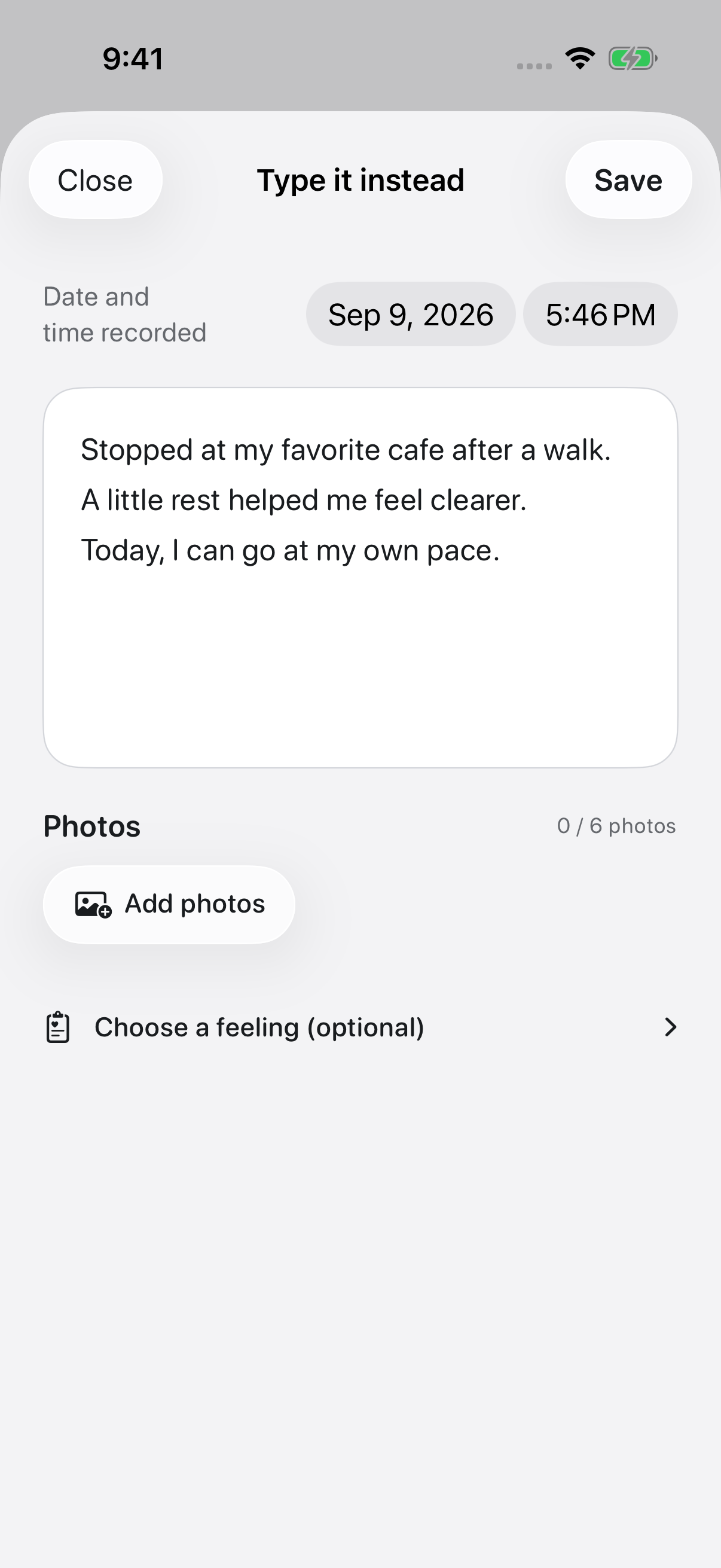
Put down one thing
What happened, or what is on your mind. It does not need to be a finished paragraph.
Add a photo or a feeling
Use Add photos or Choose a feeling (optional) if you want them. Only feelings you pick yourself are attached.
Tap Save
Saved entries are in Records at the bottom. Search notes finds older ones.
A little more, only if you need it.
Using your voice
Tap Speak on Today, say what you want, then tap Stop. Your voice is turned into text on the device itself. It needs microphone permission and a supported device and language, and the first setup may need a connection. Nothing you say creates a task or a reminder on its own.
Keeping photos
Up to six photos per entry. Tap Photos on Today to save a photo on its own.
Editing or deleting
Open an entry and tap Edit. Delete this note is inside the editor. With iCloud sync on, a deletion travels to your other devices too.
In the app
You do not need a streak. Pick it back up on a day you feel like writing.
If this did not solve it, get in touch.